Product Update
Bazu Product Update: Muscle Distribution Is Now Free
Bazu's latest workout tracker update makes Muscle Distribution free, adds Save as Routine, improves PR visibility, and redesigns the Exercise Library.
Waleed S.May 7, 20263 min read

Bazu's latest workout tracker update makes Muscle Distribution free, adds Save as Routine, improves PR visibility, and redesigns the Exercise Library.
Hi everyone,
I'm excited to share the latest Bazu release. One of the biggest updates is Muscle Distribution, now free for all users. It gives you a clearer view of which muscles you're actually training and which ones may be getting neglected.
After checking my own chart, I've already made changes to my routines based on what it showed. Keep reading for more details and the other updates in this Bazu workout tracker release.
Open Bazu to try the update, or jump straight to Bazu Insights if you want to check Muscle Distribution.
For more detail on how Bazu approaches PRs, see how Bazu calculates personal records. For the training idea behind steady progress, see Progressive Overload 101.
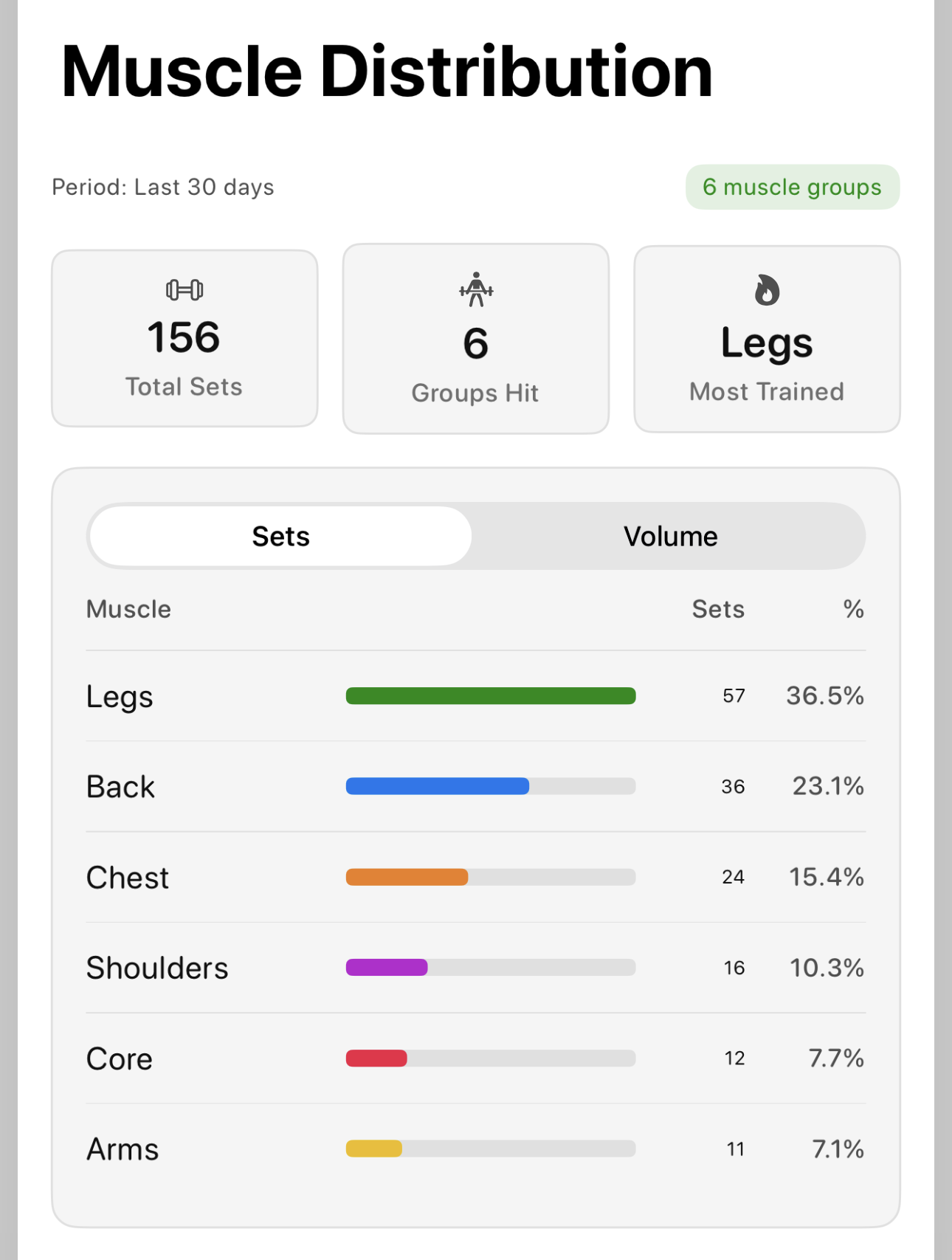
Muscle Distribution sorts every set you've logged into six groups:
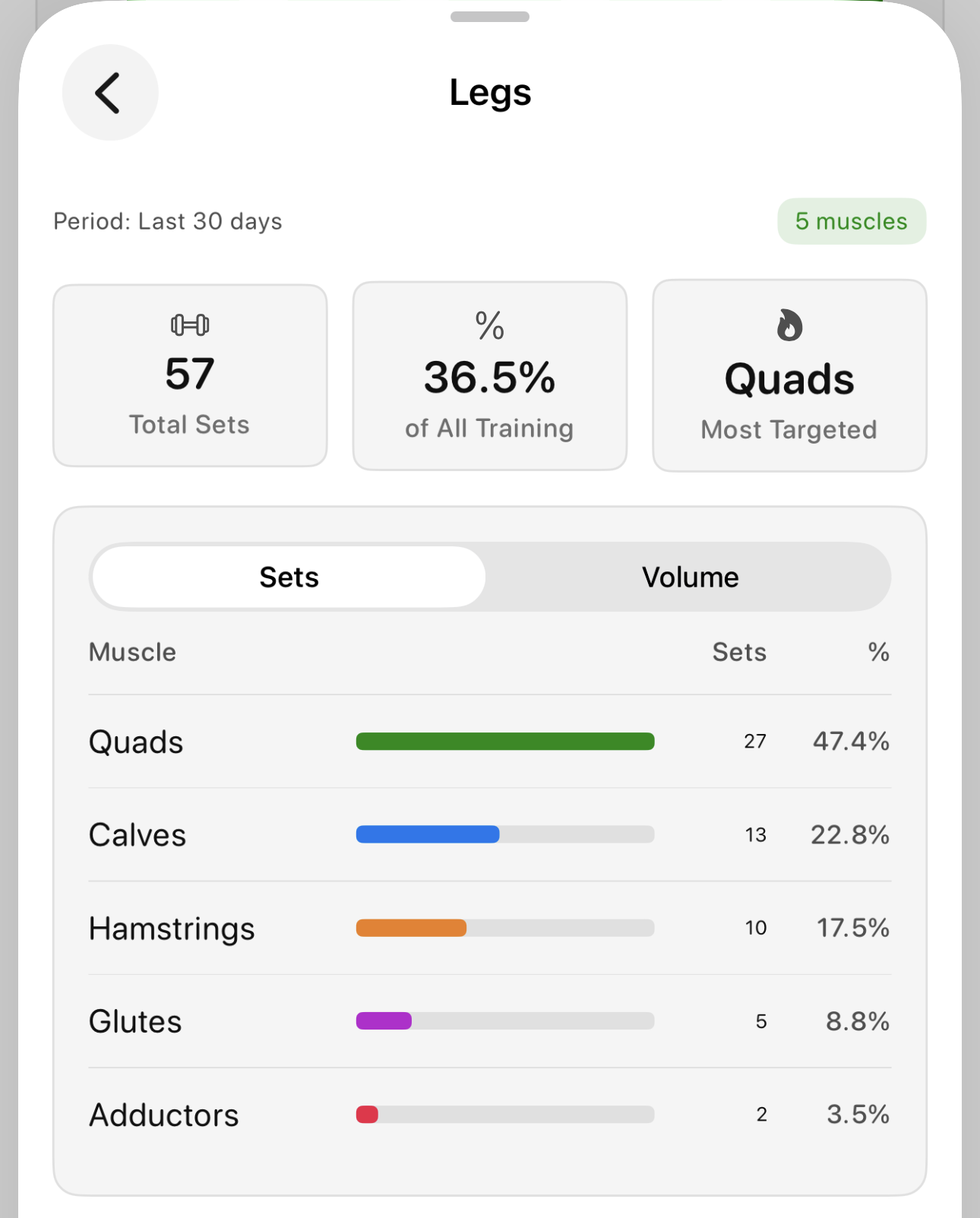
Tap any group to see exactly which muscles did the work. It's how I caught that I'd been under-training hamstrings for weeks. The chart made it obvious in about five seconds.
That makes it easier to spot imbalances, see what you're neglecting, and adjust before it becomes a problem.
If you want a deeper training-focused explanation, read how Muscle Distribution can help strength training.
On an older version? Update Bazu first.
Open Bazu Insights, then review Muscle Distribution: Group by Sets.
From there, you can:
Most lifters remember the big lifts, but it is easy to miss the pattern across weeks of training. Muscle Distribution turns your logged sets into a quick audit layer. It can help you catch neglected muscle groups, review your routine balance, and make better decisions before your next training block.
The rest of this release supports the same goal: less rebuilding, clearer PR feedback, cleaner progressive overload charts, and faster exercise selection.
If Bazu has made your training more intentional, a quick App Store review goes a long way. It's the main reason other serious lifters find the app.
Thanks for using Bazu. Keep on lifting.
Pair this product update with the relevant calculator, exercise, and training guidance.
Use muscle distribution to spot gaps in a strength-training week.
ExploreExerciseBrowse proper form, muscles worked, mistakes, and progression advice.
ExploreCalculatorCompare squat, bench press, deadlift, and total by bodyweight.
ExploreProductSee how logging, permanent PRs, charts, and workout history fit together.
Explore