Bazu Product Update: Workout Music, Home Next Routine + 1RM Progress
Your gym playlist now starts with your workout. Home shows the next routine in your program, Bazu adapts to your equipment, and Insights adds a new 1RM Progress chart.
Hi everyone,
I'm excited to share Bazu latest updates! This update is about making the start of every workout faster: your gym playlist starts with your workout, your next routine is already waiting on Home, and Bazu now understands your equipment and training focus.
There is more for lifters in this release too: Progressive Overload recommendations on Apple Watch, Distance PRs for cardio, a new all-time 1RM Progress chart in Insights, exercise thumbnails, and better search.
Open Bazu on iPhone to get the update. To set up music now, open Workout Music settings.
Your playlist. No app switching.
Before, you could tap Start Workout in Bazu, then still have to leave the app, open Music, find your gym playlist, press play, and come back. Or you forgot and trained in silence for the first few minutes.
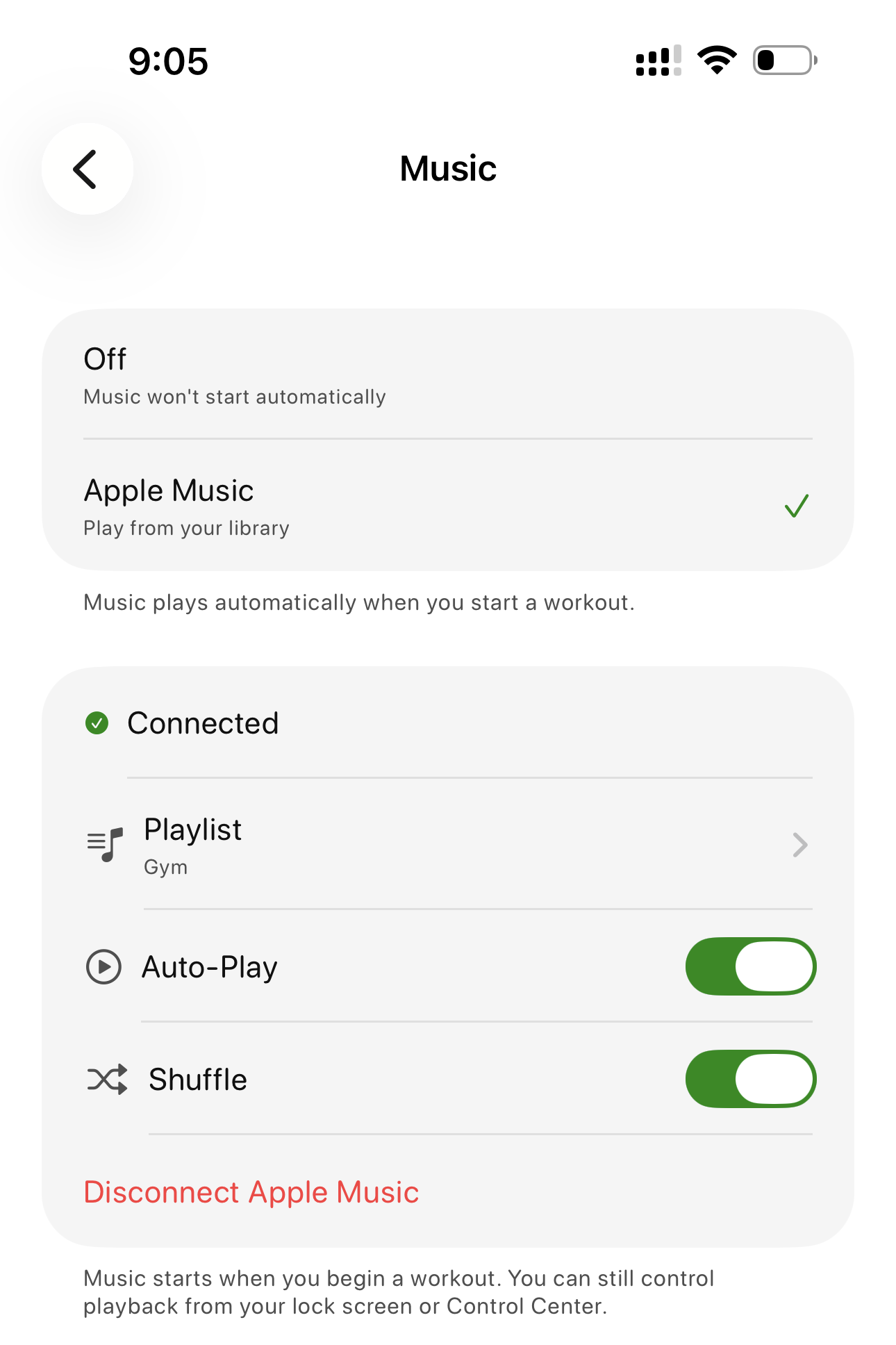
Now you can connect Apple Music once, choose your gym playlist, turn on Auto-Play, and let Bazu handle the start. Every time you start a workout, your selected playlist starts too.
Set it up in under a minute:

Auto-Play is fully in your control. Auto-Play on means music starts with your workout. Auto-Play off means Bazu leaves your music alone. You can still pause, skip, or adjust volume from the lock screen or Control Center any time.
The practical upside: one less thing between the locker room and your first working set.

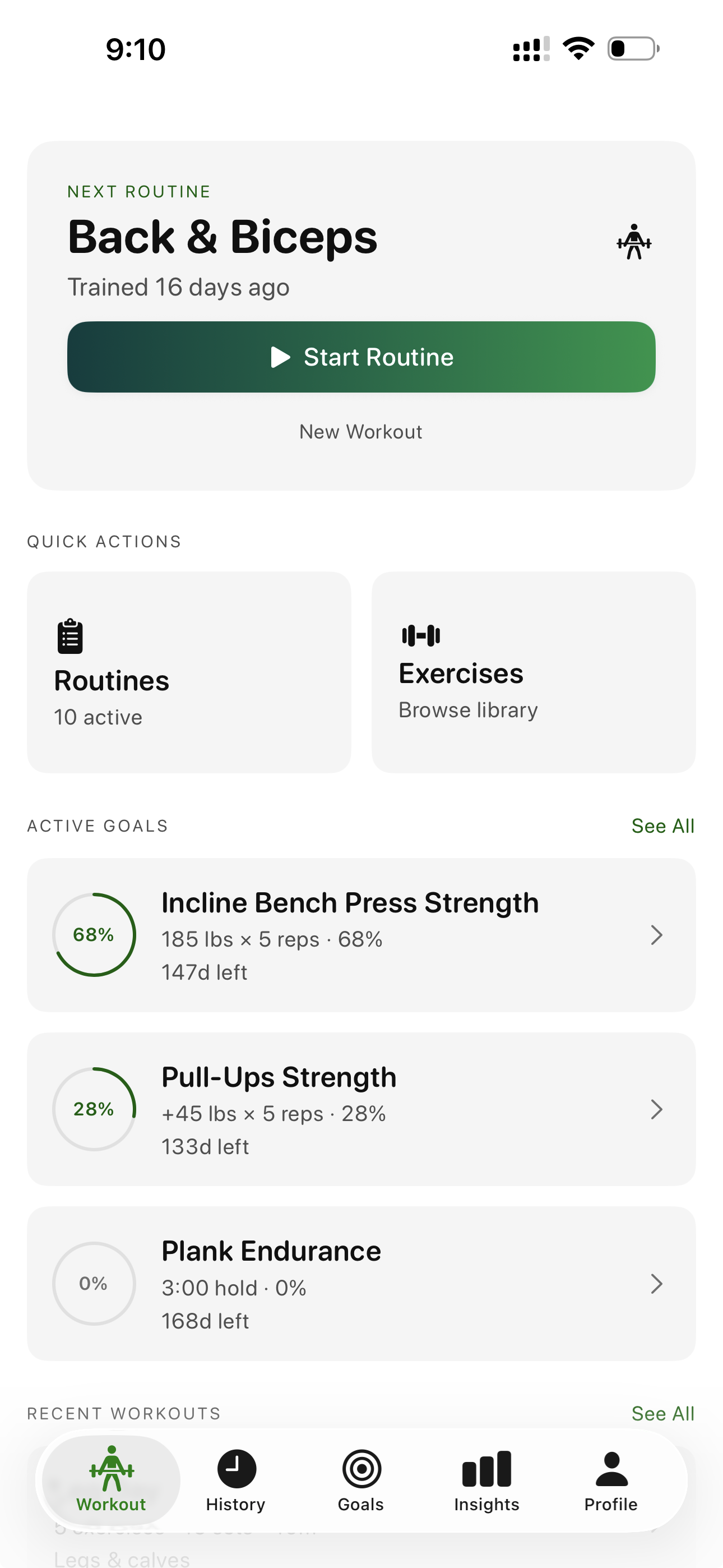
Your next routine is already waiting.

If you follow a split, the hard part should be training - not remembering whether Push Day, Pull Day, or Legs comes next.
Home's Next Routine card now follows your saved Custom Order. Finish a routine workout, tap Done on the summary, and Home advances to the next routine. Finish the last routine in the list and it wraps back to the top.
Use it from Routines:
Add, remove, archive, restore, or reorder routines and Home updates the sequence. Starting a New Workout without a routine does not move the routine sequence, so spontaneous sessions stay separate from your program.
The practical upside: your split keeps moving and your next session is ready when you open the app.
Bazu now asks what equipment you train with and what you are working toward.
Tell Bazu whether you train with barbells, dumbbells, cables, machines, bodyweight, or a mix. Then choose your training focus. The exercise library, routine defaults, and goal templates can better match your setup from the start.
Update your setup anytime in Personalization.
What changes:
This is especially useful if you move between a full gym, home gym, bodyweight setup, or a mix of equipment.
Progressive Overload recommendations are now available on Apple Watch.
Bazu already calculates next-set targets from your training history. Previously, that guidance lived on iPhone. Now you can see the recommendation on your wrist while you are mid-session.
No phone unlock. No breaking focus. No guessing what to load next.
Open Progressive Overload to review your recommendations, or open Watch settings to check your Watch setup.
Cardio now gets better tracking too.
Distance-based exercises can log distance alongside duration, so treadmill runs, rowing, elliptical work, and similar conditioning sessions carry more context.
Bazu can also detect Distance PRs based on pace improvements. That means a PR can happen when you go farther in the same time, complete the same distance faster, or otherwise improve your pace.
Open Insights to review your PRs.
Strength training still stays at the center of Bazu, but conditioning work now gets more of the same tracking discipline.
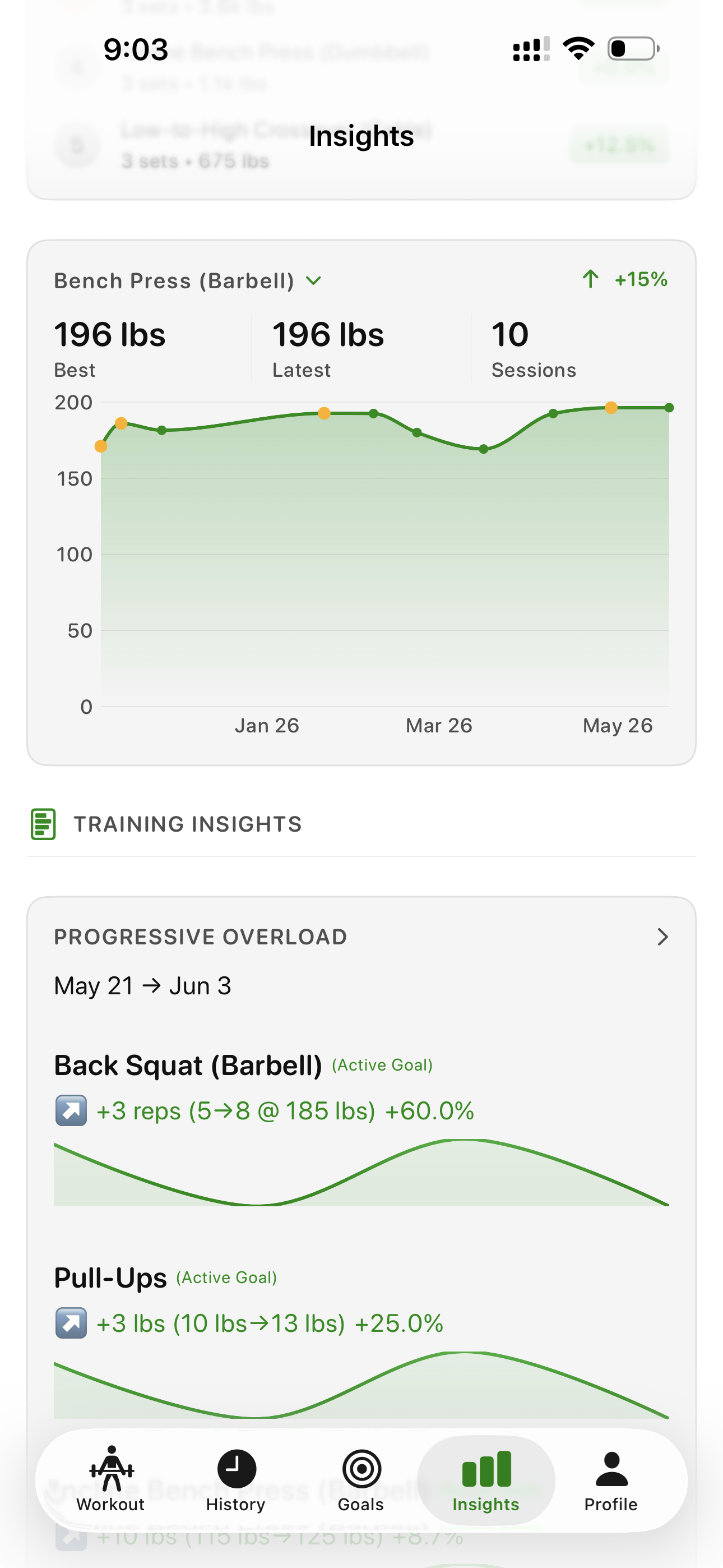
Insights now includes a new 1RM Progress chart.

Open Insights, scroll to 1RM Progress, and pick an exercise from your training history. Bazu shows your estimated 1RM progression across time so you can inspect sessions, see PR markers, and understand whether a lift is trending up, flat, or moving in the wrong direction.
This is useful for the lifts you care about most:
The goal is simple: make your strength trajectory easier to see without digging through old workouts.
The exercise library is faster to use now.
Exercises can show thumbnails next to names, making it easier to scan and recognize movements quickly. Search is also more forgiving, so misspellings and small variations are more likely to find the exercise you meant.
This matters most when you are building a routine or adding an exercise mid-workout and do not want to fight the search box.
For more on how Bazu thinks about personal records, see how Bazu calculates PRs. For the training idea behind steady progress, see Progressive Overload 101.
Thanks for using Bazu. Keep lifting.