Check off sets without reaching for your phone.
Adjust weight and reps and complete each set from your watch. Every change syncs to the Bazu app on your Android phone as you go.
Wear OS workout tracker
Log every set from your wrist.
Bazu for Wear OS puts your active workout on your watch: log weight and reps, check off sets, follow smart rest with haptics, see live heart rate, and finish the session while your Android phone keeps everything in sync.


Free on Wear OS 3.0 and later: set logging, smart rest with haptics, live heart rate, and finish-from-watch, with Premium targets on your wrist.
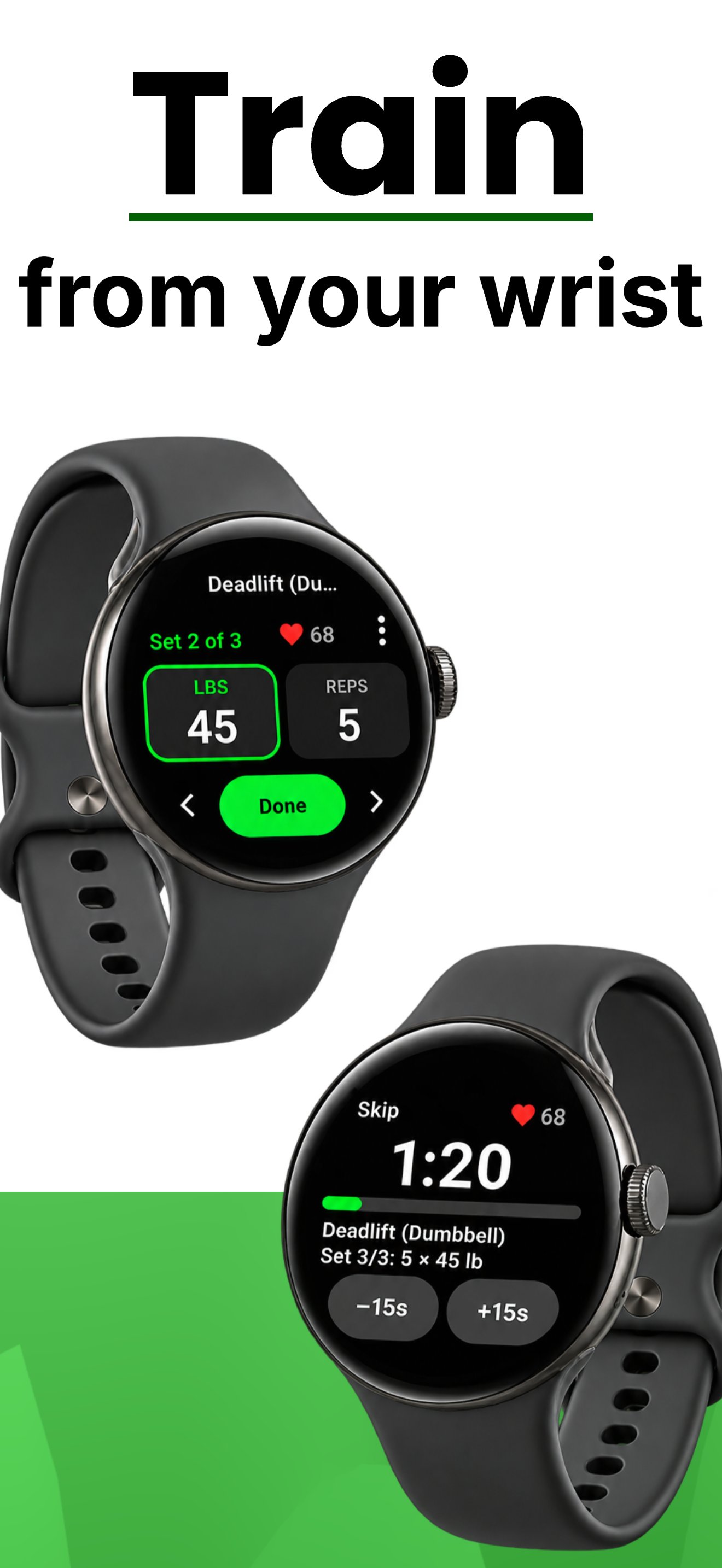
Adjust weight and reps and complete each set from your watch. Every change syncs to the Bazu app on your Android phone as you go.
See every exercise and set count in the active workout, move between movements, and finish the session from your watch.
The smart rest timer starts when you finish a set and taps your wrist when it's time to go. Add or cut 15 seconds, or skip rest entirely, and watch your live heart rate between sets.
Your watch shows the recommended weight and reps beside the current set, based on your recent training history and selected progression pace.
Begin a routine with your Android phone nearby. The active session appears on your watch.
Log each set, follow the rest countdown and haptics, and check your heart rate between sets.
End the workout from your watch, then see PRs, charts, and next targets on your phone.
Your workout history and core progress data stay useful without a subscription. Compare the Premium features available on your platform below.
Everything in Free, plus:
U.S. pricing shown; local prices are confirmed in the app. Subscribe in the app. Cancel anytime. The free tier stays free forever.
Bazu for Wear OS works together with the Bazu Android app. Keep your phone nearby during the workout; phone-free training is currently Apple Watch-only.
Questions before your first set.
Yes. Set logging, the smart rest timer and haptics, live heart rate, the exercise list, and finish-from-watch control are included in Bazu Free. Premium adds progressive overload targets on your wrist.
Bazu supports watches running Wear OS 3.0 or later. That includes Samsung Galaxy Watch4 and newer and every Google Pixel Watch.
Bazu for Wear OS comes from the same Google Play listing as the Android app. Install Bazu on your phone, then install it on your watch from Google Play.
Yes. On Wear OS, Bazu runs alongside the Android app, so keep your phone nearby. Phone-free workouts are currently available on Apple Watch only.
The progressive overload recommendation shown beside your active set requires Bazu Premium. The core watch workout tracker is free.
Use a relevant calculator, exercise guide, or training article before your next session.
Choose practical rest periods for strength, muscle, and endurance work.
ExploreCalculatorTurn your best recent set into a practical next-session target.
ExploreExerciseBrowse proper form, muscles worked, mistakes, and progression advice.
ExploreGuideUse consistent entries for barbells, dumbbells, machines, and bodyweight work.
ExploreDownload Bazu, log your first set, and decide later whether Premium earns a place in your training.