Product Update
Bazu Product Update: The Routine Library & Per-Exercise Goals
Waleed S.Aug 26, 20263 min read

Bazu's Routine Library is live: instead of an empty Routines tab, you can start from a complete weekly training program organized by goal, such as Strength, Build Muscle, Fat Loss, or General. Every exercise in a routine can now also have its own training goal, so one program can mix heavy strength work with hypertrophy accessories.
Newer update: Swap any exercise in one tap and get Routine Library picks tailored to your goals and equipment. Read the Quick Swap release →
Open Routines → Browse Routine Library and pick from a catalog of complete programs organized by what you're training for — Strength, Build Muscle, Fat Loss, General — with a featured starter up top and a Quick workouts section for short sessions. Filter by experience, equipment, and how long you've actually got.
Read the whole program before you commit: every training day, every exercise, sets and supersets included, with each movement tappable for its guide.
The payoff: Less planning and more lifting.
On an older version? Update Bazu first.
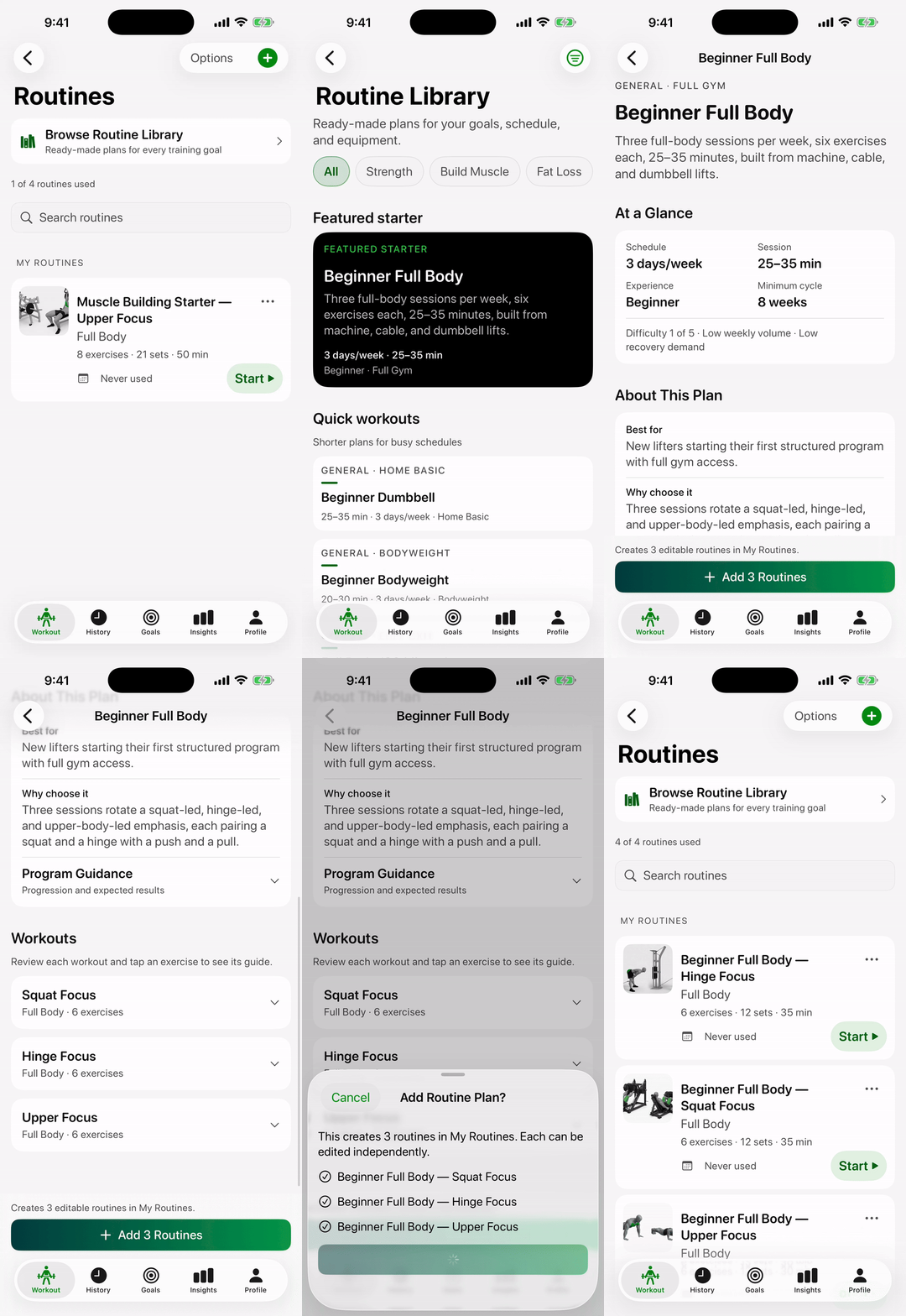
Heavy squats for strength. Leg press for hypertrophy. Same routine, finally.
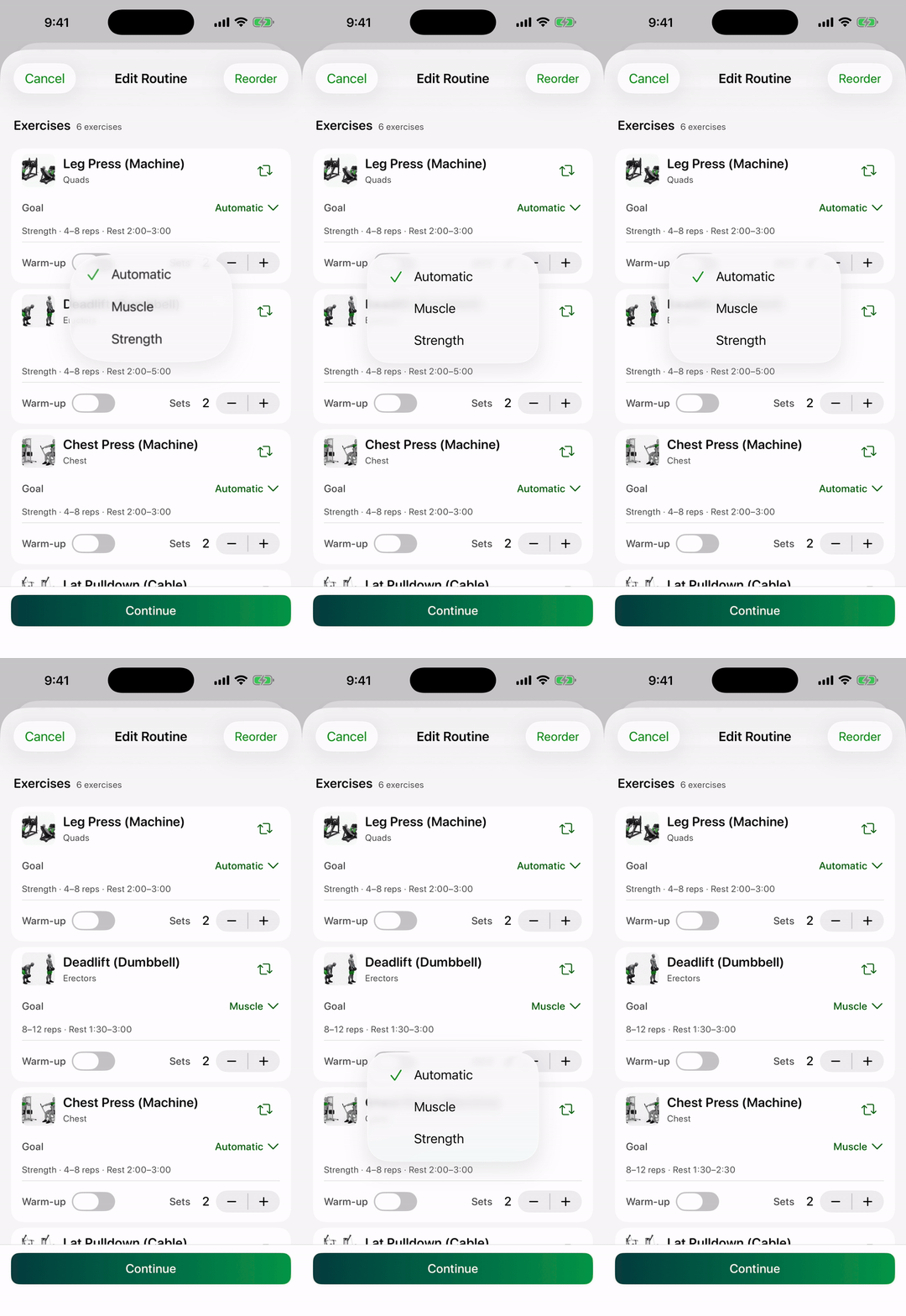
Every exercise in Create Routine and Edit Routine now has its own Goal control. Leave it on Automatic and nothing changes. Set it, and Bazu derives that exercise's target reps and recommended rest from your choice — shown to you before you save.
The payoff: Your program follows your intent for each lift, not the app's assumptions about it.
Watch-Only Workouts, Smart Warm-Ups | Supersets, Live Watch BPM, and Cleaner Warm-ups | Workout Music Auto-Play | Redesigned Goals, Insights, Profile, and Apple Watch Sync | Apple Watch + Smart Rest Timer | Smart Progressive Overload | Muscle Distribution
If Bazu's made your training more intentional, a quick App Store review goes a long way. It helps other lifters find the app.
Thanks for using Bazu. Keep lifting.
- Waleed
Pair this product update with the relevant calculator, exercise, and training guidance.
See how logging, permanent PRs, charts, and workout history fit together.
ExploreExerciseBrowse proper form, muscles worked, mistakes, and progression advice.
ExploreCalculatorTurn your best recent set into a practical next-session target.
ExploreGuideChoose practical rest periods for strength, muscle, and endurance work.
Explore